Best AI Video Editors for Content Creators in 2026
The best AI video editors for content creators in 2026, compared by use case. Find the right tool for podcasts, social media, AI avatars, voiceovers, and more — with pricing and honest recommendations.
VIDEO EDITING
3/25/202623 min read
Best AI Video Editors for Content Creators in 2026
Video editing has changed dramatically in the past two years. AI video editing tools now handle the most time-consuming parts of the process. They generate captions, remove background noise, create short clips from long recordings, and correct color automatically. Some can even edit video through text transcripts. This frees creators to focus on storytelling and creative decisions rather than tedious manual work.
The term "AI video editor" covers a wide range of tools. Some are simple video editing software. Others are complete production suites. Some are built for quick social media videos. Others handle long-form YouTube production or podcast editing. A few focus on one specific task like clip repurposing or AI avatar generation. The AI video editing landscape includes well-known names like Adobe Premiere Pro, Final Cut Pro, DaVinci Resolve, and Wondershare Filmora alongside newer AI-native tools. Choosing the right tool means understanding which category fits your workflow. A tool built for TikTok content may be wrong for podcast production.
After testing the most popular AI video editors in 2026, here are the tools that deliver real value for content creators. Each is ranked by what it does best.
Full disclosure: This post contains affiliate links. If you sign up through them, I may earn a commission at no extra cost to you.
Best for Podcast and Talking-Head Videos: Descript
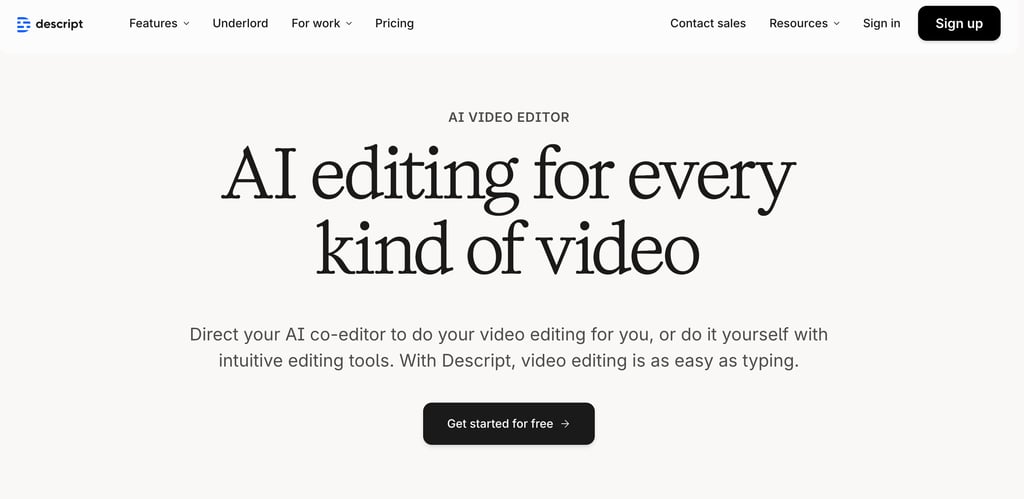
Descript is an AI-powered video and podcast editor that pioneered text-based video editing. Instead of working with a traditional timeline, Descript transcribes your content and presents it as an editable document. Delete a sentence from the transcript, and the audio and video are removed. Rearrange paragraphs, and the footage rearranges to match.
Why Text-Based Editing Is Faster Than Timeline Editing
Traditional video editors require you to watch footage, find the sections to cut, and make edits on a timeline. A 30-minute podcast episode can take 2-3 hours to edit this way. With Descript, you read the transcript and delete what you don't want. The same task takes 30-45 minutes. For creators who publish on a regular schedule, this time savings adds up fast.
How Descript Fixes Common Audio Problems
Descript's AI features solve the audio problems that most independent creators face. Studio Sound analyzes your recording and makes it sound like a professional studio. This helps podcasters and YouTubers who record at home without acoustic treatment. Descript focuses on making your audio sound professional without expensive equipment. This is where it differs from traditional video editing software.
Filler word removal strips every "um," "uh," and "you know" from your recording without manual editing. Eye contact correction adjusts your gaze so you appear to look directly at the camera. This fixes the common problem of looking at your screen instead of the lens while recording.
How Overdub Voice Cloning Fixes Recording Mistakes
Overdub is unique among consumer video editors. It clones your voice from sample recordings and generates new audio from typed text. The main use case is fixing mistakes. If you mispronounced a word during recording, type the correction and Overdub generates the fix in your voice. This removes the need to re-record entire segments for small errors.
What Else Descript Includes for Content Creators
Descript includes screen recording for tutorials, remote recording for interviews, multi-track editing, automatic show notes, and social media clip creation. These features make it a complete production suite rather than just an editor. Many creators use Descript for the entire workflow from recording to publishing.
Pricing: Free plan with 1 hour of transcription. Hobbyist at $24/month. Creator at $33/month with full AI tools and 4K export. Business at $55/month for teams. See all Descript plans.
Best for: Podcasters, YouTubers with talking-head content, tutorial creators, and interview-based show producers. Especially useful for creators who publish regularly and need to minimize post-production time.
Best for Short-Form Social Content: CapCut
CapCut is a timeline-based video editor from ByteDance, the parent company of TikTok. It has hundreds of millions of active users worldwide. The platform combines traditional editing tools with a massive template library, AI-powered auto-captions, auto-reframe, and deep integration with social media platforms.
Why CapCut Has the Best Template Library for Social Video
CapCut has the largest template library of any consumer video editing tool in 2026. It contains thousands of templates for TikTok, Instagram Reels, YouTube Shorts, and other vertical platforms. Templates are updated regularly to match current trends. Creators can jump on a viral format and produce a polished version in minutes. This speed matters because trends on TikTok often last only a few days.
How CapCut Uses AI for Captions, Reframing, and Clip Creation
Auto-captions generate animated subtitles in dozens of styles. Many styles mimic the caption formats that perform well on short-form platforms. They include keyword highlighting, emoji integration, and color-coded text. AI Reframe automatically adjusts the framing when switching between landscape and vertical aspect ratio formats. It keeps subjects centered in the frame. Other AI features include background removal, camera tracking, vocal isolation, and an AI Clipper that generates short social media videos from longer recordings.
How CapCut's 2026 Price Increase Changes the Comparison
CapCut restructured its plans in early 2026. The Pro subscription increased to $19.99/month or $179.99/year. This is a significant jump from previous pricing. At this price point, CapCut Pro competes directly with other video editing software like Descript. It even approaches the cost of professional tools like Adobe Premiere Pro and Final Cut Pro. The free tier still works for basic editing. However, 4K export, the full AI toolkit, and premium templates now require Pro.
Pricing: Free tier with basic tools. Standard at ~$9.99/month. Pro at $19.99/month or $179.99/year.
Best for: TikTok creators, Instagram Reels and YouTube Shorts producers, and social media managers. Best for creators who prioritize visual effects, trending formats, and animated captions.
Best for AI Avatar Videos: Synthesia
Synthesia is an AI avatar generator and video creation platform that produces professional presenter-style videos. You write a script, pick an avatar from 230+ options, and choose from 160+ languages. Synthesia generates a complete video. The platform also works as a video translator, converting existing scripts into multilingual versions. The avatar speaks your script with natural lip-syncing, gestures, and expressions. No camera, microphone, or studio is needed.
Why Synthesia Eliminates Traditional Production
Synthesia removes the biggest barrier to video creation for many people. That barrier is the need to appear on camera. Businesses use it for training materials. Educators use it for course content. Companies use it for product explainers. All of them can skip the entire traditional production process. No scheduling, no equipment setup, no lighting management, no retakes. One person with a script can produce a professional video in minutes.
How Synthesia Creates Multilingual Video at Scale
The multilingual capability solves an expensive problem. Traditional multilingual video requires hiring voice actors for each language. Costs multiply with every language added. With Synthesia, one script generates videos in 160+ languages using the same avatar. Visual consistency is maintained across all versions. For international organizations, this dramatically reduces production cost and time.
How Realistic Are AI Avatars in 2026
AI avatars have improved significantly. They show natural facial expressions, appropriate gestures, and convincing lip-syncing across languages. Users can create custom avatars based on their own appearance. The platform also integrates with Sora and Veo for generating B-roll footage. This means creators can produce complete, visually varied videos without any real-world filming.
Pricing: Free plan available. Starter at $29/month with 120 minutes/year. Creator at $89/month with 360 minutes/year. Enterprise pricing for larger teams.
Best for: Course creators, corporate trainers, multilingual content producers, and anyone who wants presenter-style videos without being on camera.
Best for Clip Repurposing: OpusClip
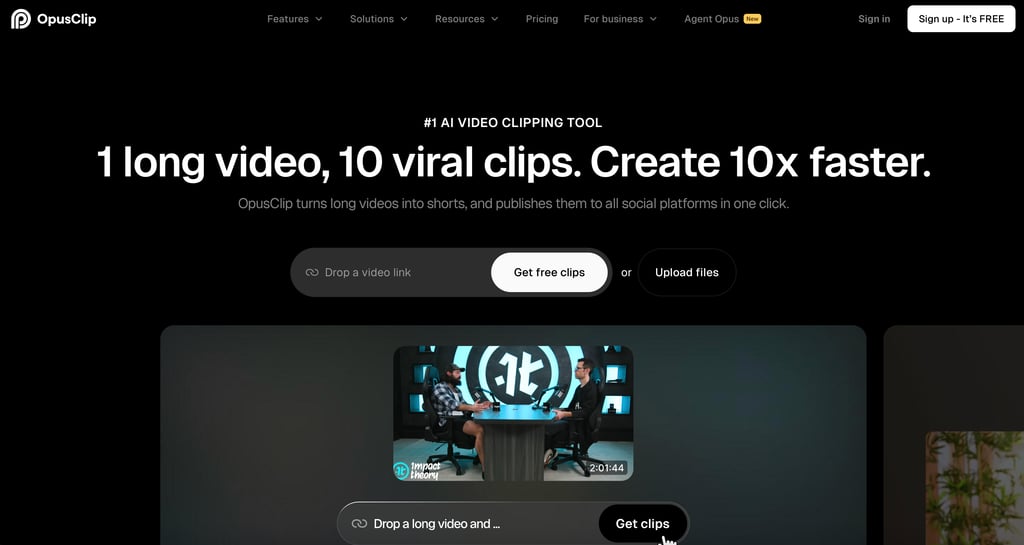
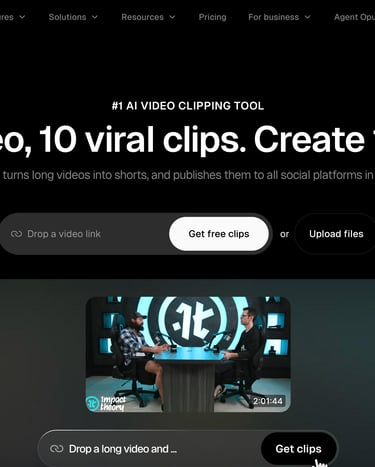
OpusClip (also known as Opus Clip) takes long-form video and automatically generates short-form clips for social media. It works with podcast episodes, YouTube videos, webinar recordings, and live streams. The AI finds viral moments and the most engaging segments. It then produces clips with animated captions, speaker tracking, vertical reframing, and a Virality Score.
How OpusClip Turns Long Videos Into Short Clips
Upload a long video and Opus Clip generates 10-20 clips automatically. The AI identifies interesting moments based on audio content and engagement patterns. Each clip gets a Virality Score that predicts performance. This reduces the guesswork of choosing which clips to post. Opus Clip also adjusts the aspect ratio automatically when converting landscape videos into vertical shorts.
How OpusClip Schedules Clips Across Social Platforms
The social media scheduler lets you post directly to YouTube Shorts, TikTok, Instagram Reels, LinkedIn, and X. One session with Opus Clip can produce and schedule a full week of social content from a single recording. For creators who already make podcasts or YouTube videos, this turns existing content into a distribution engine without extra creative effort.
Why Short Clips Drive Long-Form Channel Growth
Short clips drive traffic back to the original long-form content. This creates a growth cycle where social presence supports audience building for your main channel. Creators who repurpose consistently see faster growth across all platforms. Each piece of content works harder.
Pricing: Free plan with limited clips. Starter at $19.99/month. Pro at $49.99/month with scheduling and advanced features.
Best for: YouTubers and podcasters who want to grow social media presence by repurposing long-form content into short clips.
Best for Quick Video Creation: InVideo AI
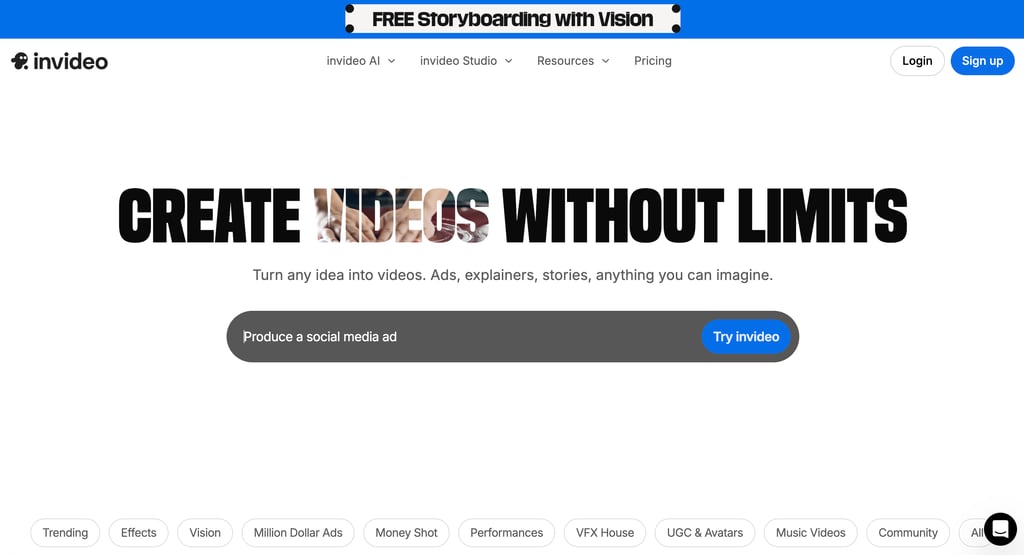
InVideo AI generates complete videos from text inputs. Enter a text prompt describing what you want. The AI selects stock footage, applies transitions, adds text overlays and music, and assembles a cohesive video. You can customize everything in the built-in editor afterward.
Why InVideo AI Text-to-Video Saves Time
InVideo AI is built for video creation, not editing. Descript and CapCut edit existing footage. InVideo AI generates new video from text prompts and ideas. This is valuable when you need promotional clips, social announcements, or explainer videos but have no original footage to work with. InVideo AI also handles background noise removal and basic audio cleanup on imported clips. The generated videos sound polished without extra editing.
How InVideo AI Templates Speed Up Video Production
The template library covers social media ads, educational content, product demos, event announcements, and marketing materials. After the AI generates a first draft, you can swap clips, adjust text, change music, reorder scenes, and add branding. This is significantly faster than building from scratch in a traditional editor.
Pricing: Free plan with watermarks. Business at $25/month. Unlimited at $50/month.
Best for: Creators and marketers who need video quickly without advanced editing skills. Great for promotional content, social posts, and supplementary video for blogs and courses.
Best for Professional Voiceover Videos: ElevenLabs + Any Editor
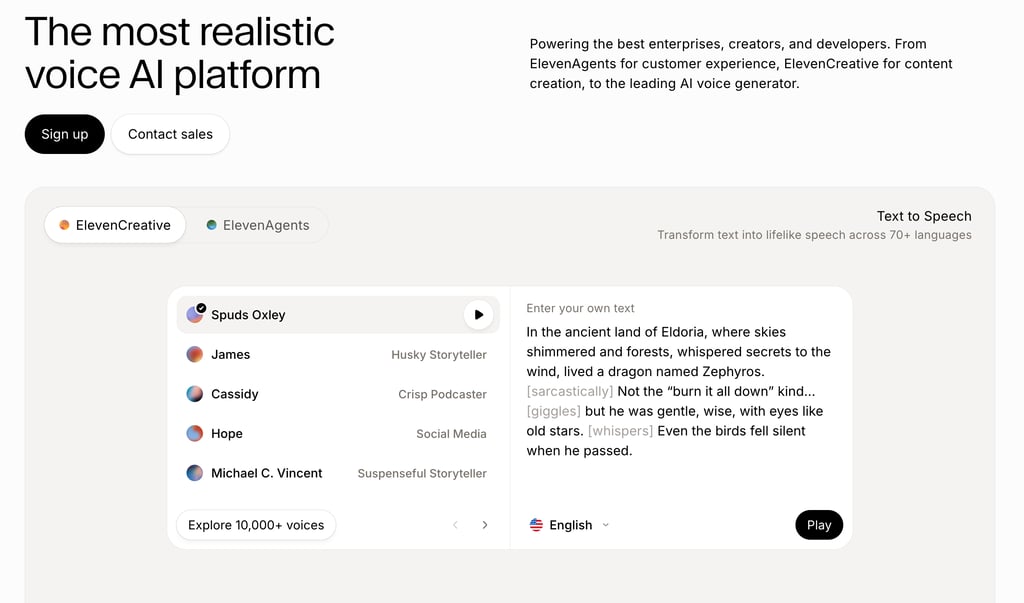
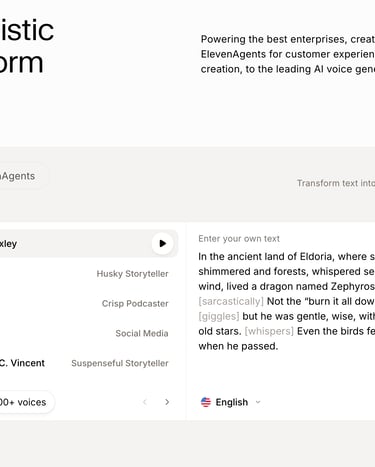
ElevenLabs is not a video editor. It is the leading AI voice generation platform. Including it here makes sense because voice quality is critical to video production. ElevenLabs solves voiceover challenges better than any tool built into a video editor.
Why AI Voice Quality Matters for Video Production
Many video projects need narration. Tutorials, explainers, documentaries, product demos, and educational content all rely on voiceover. Traditionally, this meant recording yourself or hiring a voice actor at $100-500+ per project. ElevenLabs provides a third option: AI voiceover that sounds genuinely human.
How ElevenLabs Voice Cloning Works for Content Creators
Record a sample of your voice once. ElevenLabs creates a digital model that generates narration from any text. A 10-minute tutorial voiceover takes seconds instead of 30-60 minutes of recording and editing. The cloned voice keeps your natural speaking patterns and personality. Your content still sounds like you.
How ElevenLabs Generates Multilingual Voiceover From One Voice
ElevenLabs supports 32 languages. Clone your English voice and generate narration in Spanish, French, Japanese, and more. The AI preserves your voice characteristics in the target language. This would be impossible through traditional recording without being multilingual.
How to Pair ElevenLabs With Your Video Editor
Generate voiceover in ElevenLabs, then import the audio into Descript, CapCut, DaVinci Resolve, or your preferred editor. This gives you the best voice generation paired with the best video editing. The built-in voice tools in most editors cannot match this quality.
Pricing: Free plan with ~10 minutes of audio. Starter at $5/month. Creator at $22/month. Pro at $99/month.
Best for: Tutorial creators, explainer video producers, course creators, and anyone who needs professional voiceover without recording.
Best Free AI Video Editor: DaVinci Resolve
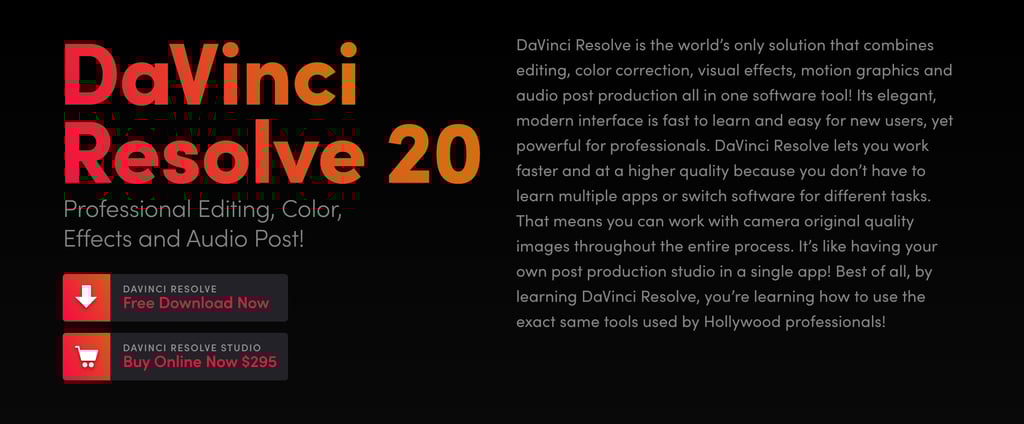
DaVinci Resolve is a professional-grade video editor that is genuinely free. No watermarks, no export limits, no time restrictions, no subscription. It includes video editing, industry-standard color grading, audio post-production, visual effects, and AI-powered tools in one application.
Why DaVinci Resolve Is Free
Blackmagic Design sells camera hardware. Offering free video editing software encourages adoption of their camera ecosystem. The result is that independent creators get the same editing, color grading, and audio tools used in professional film and television. Competing AI video editing software like Adobe Premiere Pro costs hundreds per year in subscription fees. DaVinci Resolve delivers comparable content quality at no cost.
AI Features in DaVinci Resolve
Smart object tracking follows subjects across frames. DaVinci Neural Engine powers face detection for color grading, speed warp for smooth slow-motion, and intelligent upscaling. Speech-to-text generates subtitles. Scene cut detection identifies edit points in imported footage. These features are included in the free version.
Why DaVinci Resolve Has a Steeper Learning Curve
DaVinci Resolve is complex. It has four separate workspaces: Edit, Color, Fairlight, and Fusion. Each has its own tools and interface. A creator comfortable with CapCut or Descript will need time to become productive. Simpler alternatives like Wondershare Filmora offer a gentler learning curve with basic AI features. Final Cut Pro provides a polished middle ground for Mac users. But the long-term reward of DaVinci Resolve is professional tools with no ongoing cost. The paid Studio version is a one-time $295 purchase, not a subscription.
Pricing: Free with full editing capabilities. Studio at $295 one-time for additional AI features and 8K support.
Best for: Serious editors who want professional tools without subscriptions. Best for YouTube long-form content, short films, and creators who want maximum control.
Try DaVinci Resolve Today
Best for AI Voiceover Videos: Murf.ai
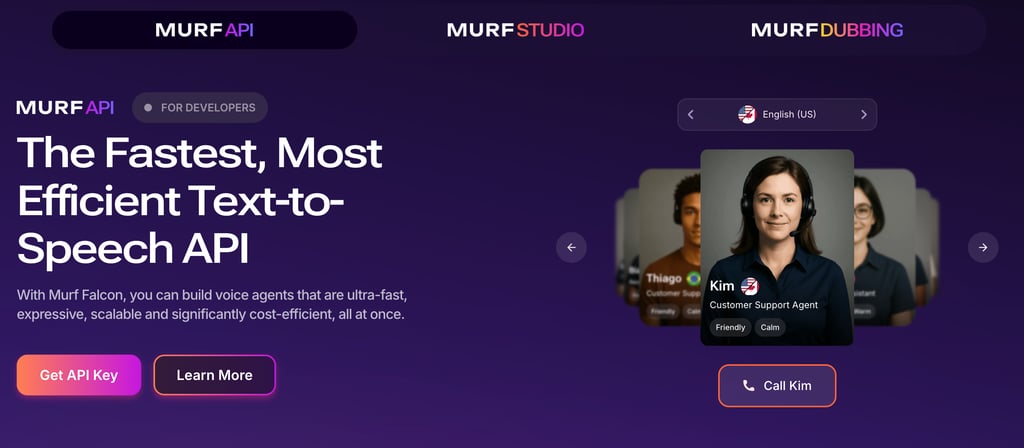
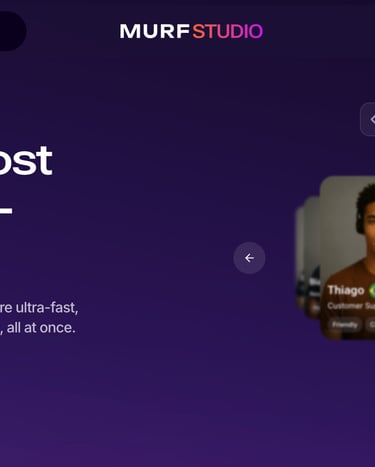
Murf.ai offers 200+ AI voices across 20+ languages with a built-in studio for syncing voiceover with video. Unlike standalone text-to-speech tools that just generate audio files, Murf provides a visual timeline for aligning voice with video scenes.
How Murf.ai Syncs Voiceover Directly With Video
Most voice generation tools produce an audio file that you then import into a video editor. Murf lets you upload video directly, place voice segments on a timeline, and sync narration with visual content in real time. This is faster for projects where voiceover needs precise timing with scene changes or on-screen text.
Why Murf.ai Offers 200+ AI Voices for Different Use Cases
Murf.ai offers 200+ curated voices with different characteristics: age, gender, accent, tone, and style. This variety is useful when you need multiple voices in one project. Explainer videos with different narrators, e-learning with character voices, or multilingual versions of the same video all benefit from this library approach. Each voice can be adjusted for pitch, speed, emphasis, and pausing.
Pricing: Free trial available. Creator at $26/month. Business at $59/month. Enterprise pricing available.
Best for: E-learning creators, corporate video producers, and anyone who needs multiple voiceover styles synced precisely to video content.
How to Choose the Right AI Video Editor
The right AI video editor depends on what you create and how often you create it. The most expensive AI video editor is not always the best. A podcaster paying for CapCut Pro wastes money on templates they never use. A TikTok creator subscribing to Descript pays for audio tools they don't need. Match the tool to your content format. Here's how the best AI video editors compare by use case.
Which AI Video Editor Works Best for Each Content Type
Podcasts or talking-head YouTube videos: Start with Descript. Transcript editing and audio cleanup save more time per episode than any other tool. The savings compound over weeks of regular production.
Short-form social content: CapCut is the fastest path from idea to published Reel, Short, or TikTok. The template library and auto-captions are unmatched for social-first workflows.
Professional videos without a camera: Synthesia creates presenter videos from text scripts with AI avatars in 160+ languages. Best for training, education, and multilingual content.
Repurposing long-form content: OpusClip turns one long video into weeks of social clips. Essential for creators who already produce podcasts or YouTube videos.
Quick video from scratch: InVideo AI generates videos from text prompts. Best for marketing videos and supplementary content when you need a polished video fast.
Most powerful free option: DaVinci Resolve offers professional editing with no subscription and no watermarks. Steep learning curve, but unbeatable value. If you want something simpler, Wondershare Filmora and Final Cut Pro both offer AI video editing features with a more approachable interface.
Voiceovers for video: ElevenLabs paired with any editor gives you the best AI narration available. Clone your voice once and use it for every video.
Combining AI Video Editors for Best Results
Most creators get the best results by combining two AI video editors. Descript for editing plus Opus Clip for repurposing works well for podcasters and YouTubers. CapCut for social content plus ElevenLabs for voiceovers suits video-first creators. No single AI video editor does everything perfectly. Combining them produces better results than relying on any single platform.
Want to dive deeper into these tools? Check out my full reviews and comparisons:

Best AI Video Editors for Content Creators in 2026
Video editing has changed dramatically in the past two years. AI video editing tools now handle the most time-consuming parts of the process. They generate captions, remove background noise, create short clips from long recordings, and correct color automatically. Some can even edit video through text transcripts. This frees creators to focus on storytelling and creative decisions rather than tedious manual work.
The term "AI video editor" covers a wide range of tools. Some are simple video editing software. Others are complete production suites. Some are built for quick social media videos. Others handle long-form YouTube production or podcast editing. A few focus on one specific task like clip repurposing or AI avatar generation. The AI video editing landscape includes well-known names like Adobe Premiere Pro, Final Cut Pro, DaVinci Resolve, and Wondershare Filmora alongside newer AI-native tools. Choosing the right tool means understanding which category fits your workflow. A tool built for TikTok content may be wrong for podcast production.
After testing the most popular AI video editors in 2026, here are the tools that deliver real value for content creators. Each is ranked by what it does best.
Full disclosure: This post contains affiliate links. If you sign up through them, I may earn a commission at no extra cost to you.
Best for Podcast and Talking-Head Videos: Descript
Descript is an AI-powered video and podcast editor that pioneered text-based video editing. Instead of working with a traditional timeline, Descript transcribes your content and presents it as an editable document. Delete a sentence from the transcript, and the audio and video are removed. Rearrange paragraphs, and the footage rearranges to match.
Why Text-Based Editing Is Faster Than Timeline Editing
Traditional video editors require you to watch footage, find the sections to cut, and make edits on a timeline. A 30-minute podcast episode can take 2-3 hours to edit this way. With Descript, you read the transcript and delete what you don't want. The same task takes 30-45 minutes. For creators who publish on a regular schedule, this time savings adds up fast.
How Descript Fixes Common Audio Problems
Descript's AI features solve the audio problems that most independent creators face. Studio Sound analyzes your recording and makes it sound like a professional studio. This helps podcasters and YouTubers who record at home without acoustic treatment. Descript focuses on making your audio sound professional without expensive equipment. This is where it differs from traditional video editing software.
Filler word removal strips every "um," "uh," and "you know" from your recording without manual editing. Eye contact correction adjusts your gaze so you appear to look directly at the camera. This fixes the common problem of looking at your screen instead of the lens while recording.
How Overdub Voice Cloning Fixes Recording Mistakes
Overdub is unique among consumer video editors. It clones your voice from sample recordings and generates new audio from typed text. The main use case is fixing mistakes. If you mispronounced a word during recording, type the correction and Overdub generates the fix in your voice. This removes the need to re-record entire segments for small errors.
What Else Descript Includes for Content Creators
Descript includes screen recording for tutorials, remote recording for interviews, multi-track editing, automatic show notes, and social media clip creation. These features make it a complete production suite rather than just an editor. Many creators use Descript for the entire workflow from recording to publishing.
Pricing: Free plan with 1 hour of transcription. Hobbyist at $24/month. Creator at $33/month with full AI tools and 4K export. Business at $55/month for teams. See all Descript plans.
Best for: Podcasters, YouTubers with talking-head content, tutorial creators, and interview-based show producers. Especially useful for creators who publish regularly and need to minimize post-production time.
Best for Short-Form Social Content: CapCut
CapCut is a timeline-based video editor from ByteDance, the parent company of TikTok. It has hundreds of millions of active users worldwide. The platform combines traditional editing tools with a massive template library, AI-powered auto-captions, auto-reframe, and deep integration with social media platforms.
Why CapCut Has the Best Template Library for Social Video
CapCut has the largest template library of any consumer video editing tool in 2026. It contains thousands of templates for TikTok, Instagram Reels, YouTube Shorts, and other vertical platforms. Templates are updated regularly to match current trends. Creators can jump on a viral format and produce a polished version in minutes. This speed matters because trends on TikTok often last only a few days.
How CapCut Uses AI for Captions, Reframing, and Clip Creation
Auto-captions generate animated subtitles in dozens of styles. Many styles mimic the caption formats that perform well on short-form platforms. They include keyword highlighting, emoji integration, and color-coded text. AI Reframe automatically adjusts the framing when switching between landscape and vertical aspect ratio formats. It keeps subjects centered in the frame. Other AI features include background removal, camera tracking, vocal isolation, and an AI Clipper that generates short social media videos from longer recordings.
How CapCut's 2026 Price Increase Changes the Comparison
CapCut restructured its plans in early 2026. The Pro subscription increased to $19.99/month or $179.99/year. This is a significant jump from previous pricing. At this price point, CapCut Pro competes directly with other video editing software like Descript. It even approaches the cost of professional tools like Adobe Premiere Pro and Final Cut Pro. The free tier still works for basic editing. However, 4K export, the full AI toolkit, and premium templates now require Pro.
Pricing: Free tier with basic tools. Standard at ~$9.99/month. Pro at $19.99/month or $179.99/year.
Best for: TikTok creators, Instagram Reels and YouTube Shorts producers, and social media managers. Best for creators who prioritize visual effects, trending formats, and animated captions.
Best for AI Avatar Videos: Synthesia
Synthesia is an AI avatar generator and video creation platform that produces professional presenter-style videos. You write a script, pick an avatar from 230+ options, and choose from 160+ languages. Synthesia generates a complete video. The platform also works as a video translator, converting existing scripts into multilingual versions. The avatar speaks your script with natural lip-syncing, gestures, and expressions. No camera, microphone, or studio is needed.
Why Synthesia Eliminates Traditional Production
Synthesia removes the biggest barrier to video creation for many people. That barrier is the need to appear on camera. Businesses use it for training materials. Educators use it for course content. Companies use it for product explainers. All of them can skip the entire traditional production process. No scheduling, no equipment setup, no lighting management, no retakes. One person with a script can produce a professional video in minutes.
How Synthesia Creates Multilingual Video at Scale
The multilingual capability solves an expensive problem. Traditional multilingual video requires hiring voice actors for each language. Costs multiply with every language added. With Synthesia, one script generates videos in 160+ languages using the same avatar. Visual consistency is maintained across all versions. For international organizations, this dramatically reduces production cost and time.
How Realistic Are AI Avatars in 2026
AI avatars have improved significantly. They show natural facial expressions, appropriate gestures, and convincing lip-syncing across languages. Users can create custom avatars based on their own appearance. The platform also integrates with Sora and Veo for generating B-roll footage. This means creators can produce complete, visually varied videos without any real-world filming.
Pricing: Free plan available. Starter at $29/month with 120 minutes/year. Creator at $89/month with 360 minutes/year. Enterprise pricing for larger teams.
Best for: Course creators, corporate trainers, multilingual content producers, and anyone who wants presenter-style videos without being on camera.
Best for Clip Repurposing: OpusClip
OpusClip (also known as Opus Clip) takes long-form video and automatically generates short-form clips for social media. It works with podcast episodes, YouTube videos, webinar recordings, and live streams. The AI finds viral moments and the most engaging segments. It then produces clips with animated captions, speaker tracking, vertical reframing, and a Virality Score.
How OpusClip Turns Long Videos Into Short Clips
Upload a long video and Opus Clip generates 10-20 clips automatically. The AI identifies interesting moments based on audio content and engagement patterns. Each clip gets a Virality Score that predicts performance. This reduces the guesswork of choosing which clips to post. Opus Clip also adjusts the aspect ratio automatically when converting landscape videos into vertical shorts.
How OpusClip Schedules Clips Across Social Platforms
The social media scheduler lets you post directly to YouTube Shorts, TikTok, Instagram Reels, LinkedIn, and X. One session with Opus Clip can produce and schedule a full week of social content from a single recording. For creators who already make podcasts or YouTube videos, this turns existing content into a distribution engine without extra creative effort.
Why Short Clips Drive Long-Form Channel Growth
Short clips drive traffic back to the original long-form content. This creates a growth cycle where social presence supports audience building for your main channel. Creators who repurpose consistently see faster growth across all platforms. Each piece of content works harder.
Pricing: Free plan with limited clips. Starter at $19.99/month. Pro at $49.99/month with scheduling and advanced features.
Best for: YouTubers and podcasters who want to grow social media presence by repurposing long-form content into short clips.
Best for Quick Video Creation: InVideo AI
InVideo AI generates complete videos from text inputs. Enter a text prompt describing what you want. The AI selects stock footage, applies transitions, adds text overlays and music, and assembles a cohesive video. You can customize everything in the built-in editor afterward.
Why InVideo AI Text-to-Video Saves Time
InVideo AI is built for video creation, not editing. Descript and CapCut edit existing footage. InVideo AI generates new video from text prompts and ideas. This is valuable when you need promotional clips, social announcements, or explainer videos but have no original footage to work with. InVideo AI also handles background noise removal and basic audio cleanup on imported clips. The generated videos sound polished without extra editing.
How InVideo AI Templates Speed Up Video Production
The template library covers social media ads, educational content, product demos, event announcements, and marketing materials. After the AI generates a first draft, you can swap clips, adjust text, change music, reorder scenes, and add branding. This is significantly faster than building from scratch in a traditional editor.
Pricing: Free plan with watermarks. Business at $25/month. Unlimited at $50/month.
Best for: Creators and marketers who need video quickly without advanced editing skills. Great for promotional content, social posts, and supplementary video for blogs and courses.
Best for Professional Voiceover Videos: ElevenLabs + Any Editor
ElevenLabs is not a video editor. It is the leading AI voice generation platform. Including it here makes sense because voice quality is critical to video production. ElevenLabs solves voiceover challenges better than any tool built into a video editor.
Why AI Voice Quality Matters for Video Production
Many video projects need narration. Tutorials, explainers, documentaries, product demos, and educational content all rely on voiceover. Traditionally, this meant recording yourself or hiring a voice actor at $100-500+ per project. ElevenLabs provides a third option: AI voiceover that sounds genuinely human.
How ElevenLabs Voice Cloning Works for Content Creators
Record a sample of your voice once. ElevenLabs creates a digital model that generates narration from any text. A 10-minute tutorial voiceover takes seconds instead of 30-60 minutes of recording and editing. The cloned voice keeps your natural speaking patterns and personality. Your content still sounds like you.
How ElevenLabs Generates Multilingual Voiceover From One Voice
ElevenLabs supports 32 languages. Clone your English voice and generate narration in Spanish, French, Japanese, and more. The AI preserves your voice characteristics in the target language. This would be impossible through traditional recording without being multilingual.
How to Pair ElevenLabs With Your Video Editor
Generate voiceover in ElevenLabs, then import the audio into Descript, CapCut, DaVinci Resolve, or your preferred editor. This gives you the best voice generation paired with the best video editing. The built-in voice tools in most editors cannot match this quality.
Pricing: Free plan with ~10 minutes of audio. Starter at $5/month. Creator at $22/month. Pro at $99/month.
Best for: Tutorial creators, explainer video producers, course creators, and anyone who needs professional voiceover without recording.
Best Free AI Video Editor: DaVinci Resolve
DaVinci Resolve is a professional-grade video editor that is genuinely free. No watermarks, no export limits, no time restrictions, no subscription. It includes video editing, industry-standard color grading, audio post-production, visual effects, and AI-powered tools in one application.
Why DaVinci Resolve Is Free
Blackmagic Design sells camera hardware. Offering free video editing software encourages adoption of their camera ecosystem. The result is that independent creators get the same editing, color grading, and audio tools used in professional film and television. Competing AI video editing software like Adobe Premiere Pro costs hundreds per year in subscription fees. DaVinci Resolve delivers comparable content quality at no cost.
AI Features in DaVinci Resolve
Smart object tracking follows subjects across frames. DaVinci Neural Engine powers face detection for color grading, speed warp for smooth slow-motion, and intelligent upscaling. Speech-to-text generates subtitles. Scene cut detection identifies edit points in imported footage. These features are included in the free version.
Why DaVinci Resolve Has a Steeper Learning Curve
DaVinci Resolve is complex. It has four separate workspaces: Edit, Color, Fairlight, and Fusion. Each has its own tools and interface. A creator comfortable with CapCut or Descript will need time to become productive. Simpler alternatives like Wondershare Filmora offer a gentler learning curve with basic AI features. Final Cut Pro provides a polished middle ground for Mac users. But the long-term reward of DaVinci Resolve is professional tools with no ongoing cost. The paid Studio version is a one-time $295 purchase, not a subscription.
Pricing: Free with full editing capabilities. Studio at $295 one-time for additional AI features and 8K support.
Best for: Serious editors who want professional tools without subscriptions. Best for YouTube long-form content, short films, and creators who want maximum control.
Try DaVinci Resolve Today
Best for AI Voiceover Videos: Murf.ai
Murf.ai offers 200+ AI voices across 20+ languages with a built-in studio for syncing voiceover with video. Unlike standalone text-to-speech tools that just generate audio files, Murf provides a visual timeline for aligning voice with video scenes.
How Murf.ai Syncs Voiceover Directly With Video
Most voice generation tools produce an audio file that you then import into a video editor. Murf lets you upload video directly, place voice segments on a timeline, and sync narration with visual content in real time. This is faster for projects where voiceover needs precise timing with scene changes or on-screen text.
Why Murf.ai Offers 200+ AI Voices for Different Use Cases
Murf.ai offers 200+ curated voices with different characteristics: age, gender, accent, tone, and style. This variety is useful when you need multiple voices in one project. Explainer videos with different narrators, e-learning with character voices, or multilingual versions of the same video all benefit from this library approach. Each voice can be adjusted for pitch, speed, emphasis, and pausing.
Pricing: Free trial available. Creator at $26/month. Business at $59/month. Enterprise pricing available.
Best for: E-learning creators, corporate video producers, and anyone who needs multiple voiceover styles synced precisely to video content.
How to Choose the Right AI Video Editor
The right AI video editor depends on what you create and how often you create it. The most expensive AI video editor is not always the best. A podcaster paying for CapCut Pro wastes money on templates they never use. A TikTok creator subscribing to Descript pays for audio tools they don't need. Match the tool to your content format. Here's how the best AI video editors compare by use case.
Which AI Video Editor Works Best for Each Content Type
Podcasts or talking-head YouTube videos: Start with Descript. Transcript editing and audio cleanup save more time per episode than any other tool. The savings compound over weeks of regular production.
Short-form social content: CapCut is the fastest path from idea to published Reel, Short, or TikTok. The template library and auto-captions are unmatched for social-first workflows.
Professional videos without a camera: Synthesia creates presenter videos from text scripts with AI avatars in 160+ languages. Best for training, education, and multilingual content.
Repurposing long-form content: OpusClip turns one long video into weeks of social clips. Essential for creators who already produce podcasts or YouTube videos.
Quick video from scratch: InVideo AI generates videos from text prompts. Best for marketing videos and supplementary content when you need a polished video fast.
Most powerful free option: DaVinci Resolve offers professional editing with no subscription and no watermarks. Steep learning curve, but unbeatable value. If you want something simpler, Wondershare Filmora and Final Cut Pro both offer AI video editing features with a more approachable interface.
Voiceovers for video: ElevenLabs paired with any editor gives you the best AI narration available. Clone your voice once and use it for every video.
Combining AI Video Editors for Best Results
Most creators get the best results by combining two AI video editors. Descript for editing plus Opus Clip for repurposing works well for podcasters and YouTubers. CapCut for social content plus ElevenLabs for voiceovers suits video-first creators. No single AI video editor does everything perfectly. Combining them produces better results than relying on any single platform.
Want to dive deeper into these tools? Check out my full reviews and comparisons: