Descript vs CapCut 2026: Which AI Video Editor Is Worth Your Money?
After CapCut's price hike, I compared it with Descript side by side. Here's why Descript might be the better AI video editor for your workflow.
VIDEO EDITINGCOMPARISON
3/19/20269 min read
Descript vs CapCut 2026: Which AI Video Editor Is Worth Your Money?
CapCut just made the decision between these two tools a lot more interesting. After nearly doubling its Pro subscription price in early 2026 — from around $77/year to $179.99/year — a lot of creators are rethinking whether CapCut is still the obvious choice for video editing. Meanwhile, Descript has been quietly building one of the most innovative editing experiences available, with text-based editing that lets you cut video by editing a transcript.
Both are AI-powered video editors aimed at content creators. But they approach editing from completely different angles, and the right choice depends entirely on what kind of content you make and how you prefer to work. If you've been comparing video editing apps — wondering whether to stick with CapCut, switch to Descript, or jump to something like DaVinci Resolve or Premiere Pro — this comparison will help you decide.
I've used both extensively, and in this comparison I'll break down where each tool wins, where it falls short, and which one makes more sense for your workflow and budget.
Full disclosure: This post contains affiliate links. If you sign up through them, I may earn a commission at no extra cost to you.
The Core Difference
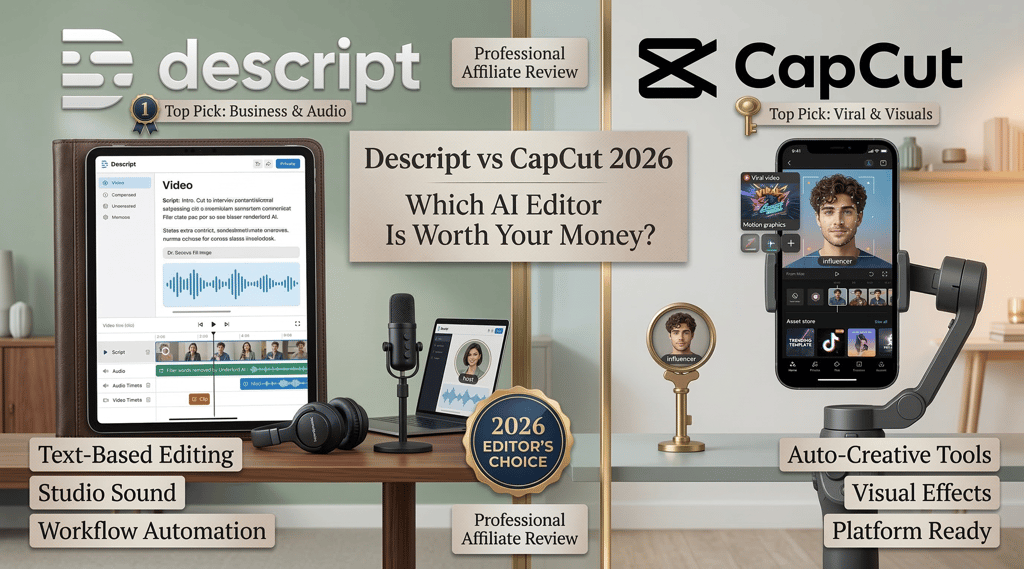
CapCut is a visual-first video editor built for speed. It's designed for creators who think in clips, cuts, and effects. The interface feels familiar if you've used any timeline-based editor — you drag clips onto a timeline, trim them, add transitions, drop in effects, and export. CapCut's strength is its massive template library and deep integration with TikTok's ecosystem, making it the go-to tool for short-form social media content.
Descript is a text-first editor that flips the traditional editing workflow on its head. Instead of scrubbing through a timeline, you edit a transcript. Delete a sentence from the text, and the corresponding audio and video disappear. Rearrange paragraphs, and the video rearranges with them. This makes Descript uniquely powerful for podcast editing, talking-head videos, and any content that's driven by spoken words.
Think of it this way: CapCut is built for people who think visually. Descript is built for people who think in words.
Feature Comparison
Video Editing
CapCut offers a full timeline-based editing experience with multi-track support, keyframe animation, speed ramping, chroma key (green screen), color correction, and smart stabilization. The video editing tools are comprehensive for a consumer editor — you can do everything from basic cuts to complex multi-layer compositions. While it doesn't offer the advanced color grading you'd find in DaVinci Resolve or Premiere Pro, CapCut provides enough for professional-grade editing of social content. Export options include up to 4K HDR on the Pro plan.
Descript takes a fundamentally different approach. It transcribes your video automatically, and you edit the transcript like a text document — this AI-powered text-based editing sounds gimmicky until you actually try it. For dialogue-heavy content, it's dramatically faster than traditional timeline video editing. You can also use the timeline view for more precise cuts. Descript supports multi-track editing, screen recording for tutorials and demos, and remote recording for interviews.
Winner: Depends on your content. CapCut wins for visual-heavy content like montages, transitions-heavy Reels, and effects-driven videos. Descript wins for podcast episodes, YouTube talking-head videos, interview content, and anything where the spoken word drives the edit.
AI Features
CapCut Pro packs in a strong set of AI tools: auto-captions with multiple animated styles, AI-generated B-roll from text prompts, smart auto-reframe for switching between aspect ratios, camera tracking, background removal, vocal isolation, noise reduction, and an AI clipper that turns long videos into short-form clips automatically.
Descript focuses its AI on audio and transcript quality. Studio Sound transforms mediocre audio into professional-quality sound. Filler word removal automatically strips "ums" and "uhs." Eye contact correction adjusts your gaze to look directly at the camera. Green screen backgrounds let you swap your backdrop. And Overdub — Descript's AI voice cloning feature — lets you fix spoken mistakes by typing the correction and having AI generate it in your cloned voice.
Winner: CapCut has more AI features overall, especially for visual effects and auto-captioning. Descript has deeper, more impactful AI for audio quality and voice — Studio Sound and Overdub are genuinely unique capabilities that no other consumer editor matches.
Captions and Subtitles
CapCut is the king of AI-powered auto-captioning for social media. The animated caption styles are trendy, customizable, and designed to grab attention on TikTok, Reels, and Shorts. You get dozens of caption templates with keyword highlights, emoji integration, and color-coded text. This is one of CapCut's strongest features and a major reason creators choose it.
Descript generates accurate automatic subtitles through its transcription engine, and you can export them as SRT files or burn them into the video. The caption styling is functional but not as visually flashy as CapCut's animated options. If you want the viral-looking captions that dominate short-form platforms, CapCut does it better out of the box.
Winner: CapCut wins, clearly. The animated caption styles are a major competitive advantage for short-form content.
Audio Editing
This isn't even close.
Descript was built for audio from the ground up. Studio Sound can make a recording from a noisy room sound like it was captured in a professional studio. Filler word removal is automatic and precise. Overdub lets you clone your voice and generate corrections by typing. You get multi-track audio editing, volume leveling, and the ability to edit audio by editing text — the same transcript-based workflow that makes video editing so intuitive.
CapCut offers basic audio editing — background noise removal, vocal isolation, and a music library. These are functional tools, but they're surface-level compared to what Descript provides. If your content relies heavily on spoken audio (podcasts, voiceover videos, interviews), the gap in professional audio and video editing capability is significant.
Winner: Descript wins by a wide margin. This is its single biggest advantage over CapCut and every other consumer video editor.
Templates and Effects
CapCut has the largest video templates library of any consumer video editor. Thousands of templates optimized for TikTok, Instagram Reels, YouTube Shorts, and other platforms. Trending audio synced to templates, text animations, transition effects, stickers, filters — the variety is enormous. The platform works across mobile, desktop, and browser-based editing, so you can access templates anywhere. For creators who want to jump on trends quickly, CapCut's template library is unmatched.
Descript has a more limited selection of templates. It focuses on functional layouts rather than trendy effects. You can create clean, professional-looking content, but you won't find the viral-style templates that CapCut offers. Descript's aesthetic leans professional; CapCut's leans social-native.
Winner: CapCut wins, easily. If templates and trending effects matter to your workflow, CapCut is the better choice.
Collaboration
Descript offers real-time collaboration where multiple team members can work on the same project simultaneously. You can share editable links with writers, leave comments on specific sections of the transcript, and track changes. For teams producing podcasts or video content together, this is a genuine workflow advantage.
CapCut added collaboration features with cloud project syncing and team plans. You can co-edit with up to five team members on Pro, with version history and cloud backups. It's functional but newer and less refined than Descript's collaboration tools.
Winner: Descript wins for team workflows and video collaboration, especially for podcast production and content teams. CapCut is catching up but isn't as mature.
Short-Form Content Creation
CapCut was literally built for this. The entire platform is optimized for creating TikTok, Reels, and Shorts content. From vertical video templates to trending audio integration to one-tap auto-captions, everything about CapCut is designed to get short-form content out the door fast. The AI Clipper feature can even take a long video and automatically generate short clips.
Descript can create short-form content, but it's not its primary strength. You can export clips in vertical formats and add captions, but the workflow isn't as streamlined for rapid social media production as CapCut's. Descript is better at creating the long-form content that you then clip into shorts.
Winner: CapCut wins, no contest. If short-form social content is your primary output, CapCut is purpose-built for it.
Podcast Editing
Descript is one of the best podcast editors available. Transcript-based editing lets you cut an entire episode by reading and deleting text. Filler word removal, Studio Sound, multi-track support, remote recording, automatic show notes generation, and Overdub for fixing mistakes — it's a complete podcast production suite.
CapCut is not designed for podcast editing. You could technically use it to edit podcast audio, but it would be like using a hammer to turn a screw. The visual-first workflow doesn't translate well to audio-only content.
Winner: Descript. If you produce a podcast, this isn't even a comparison.
Pricing Comparison
This is where the recent CapCut price change shakes things up.
CapCut Pricing
Free: Basic editing tools, some templates, limited AI features, up to 1080p export (may vary by region), watermark on some premium elements.
Standard: ~$9.99/month. Removes watermarks, unlocks some premium effects and transitions. Mobile-focused.
Pro: $19.99/month or $179.99/year. Full AI toolkit (auto-reframe, camera tracking, vocal isolation, AI clipper), 4K HDR export, full template library, 1TB cloud storage, cross-platform access.
Descript Pricing
Free: 1 hour of transcription, watermarked exports, 720p, 5GB storage.
Hobbyist: $24/month. 10 hours of transcription, 1080p export, basic AI features.
Creator: $33/month. 30 hours of transcription, 4K export, full AI tools including Studio Sound, filler removal, Overdub, and green screen.
Business: $55/month. 40 hours of transcription, unlimited AI features, team collaboration.
Value Analysis
Here's where it gets interesting. CapCut Pro at $19.99/month ($179.99/year) is now in the same price range as Descript Hobbyist at $24/month. The price gap that used to make CapCut the obvious budget choice has narrowed significantly.
If you're paying for CapCut Pro anyway, Descript Creator at $33/month — just $13 more — gets you professional audio cleanup, voice cloning, transcript-based editing, and a completely different editing paradigm. For creators who do any kind of talking-head or podcast content, that extra $13 buys capabilities that CapCut simply doesn't offer at any price.
Of course, CapCut's free tier is still excellent for basic editing. If you're just starting out or only need simple cuts and trending effects, free CapCut is hard to beat.
Who Should Choose CapCut?
TikTok and Reels creators. If your primary content is short-form social media, CapCut is built for your workflow. The template library, auto-captions, and trending effects are designed specifically for platforms like TikTok, Instagram Reels, and YouTube Shorts.
Beginners who want fast results. CapCut's learning curve is gentle, and the templates let you create polished-looking content almost immediately. You don't need to understand editing principles to produce good-looking videos.
Visual-heavy content creators. If your videos rely on transitions, effects, text animations, and visual storytelling rather than spoken content, CapCut's visual editing tools are stronger than Descript's.
Budget-conscious creators. CapCut's free tier covers basic video editing needs without any subscription. For creators who can't justify any monthly expense yet, free CapCut gets the job done.
One thing to note: CapCut is owned by ByteDance (TikTok's parent company), which has raised privacy concerns for some users. Also check the content license terms on CapCut's free vs Pro tiers — commercial use rights differ between plans. For social media marketers who need clear commercial licensing, the Pro plan is worth confirming.
Who Should Choose Descript?
Podcasters. If you produce a podcast, Descript is the better tool, full stop. Transcript-based editing, Studio Sound, filler removal, and Overdub create a podcast editing workflow that nothing else matches.
YouTube creators with talking-head content. If your videos are primarily you speaking to the camera, Descript's text-based editing is dramatically faster than scrubbing through a timeline in CapCut. Delete the bad takes from the transcript, and you're done. The built-in screen recording also makes it great for tutorial creators.
Anyone who cares about audio quality. Descript's Studio Sound and audio cleanup tools are in a different league. If you record in less-than-ideal conditions and want your content to sound professional, Descript solves that problem.
Content teams and collaborators. If multiple people work on your content — writers, editors, producers — Descript's real-time collaboration and shareable links make the workflow smoother.
Creators who want voice cloning. Overdub is a unique feature that lets you fix mistakes and generate new audio in your own cloned voice. No other consumer video editor offers this.
Can You Use Both?
Actually, yes — and this is a legitimate workflow for some creators.
Use Descript for your primary editing: record, transcribe, edit the transcript, clean up the audio with Studio Sound, fix mistakes with Overdub, and export your polished long-form content.
Then use CapCut (even the free version) to repurpose clips for social media. Add trending captions, apply viral templates, and format for vertical platforms. CapCut's strength in short-form finishing complements Descript's strength in long-form production.
This way you get the best of both worlds: Descript's audio quality and editing intelligence for your main content, and CapCut's social media optimization for distribution.
Final Verdict
These are genuinely different tools for different jobs, and CapCut's recent price increase has made the decision more nuanced than it used to be.
Choose CapCut if your content is primarily short-form social media, visually driven, and template-based. The free tier is excellent for basic needs, and Pro makes sense if you need 4K exports and the full AI toolkit for platforms like TikTok and Instagram.
Choose Descript if your content involves significant spoken audio — podcasts, YouTube videos, interviews, tutorials, or voiceovers. The transcript-based editing, Studio Sound, and Overdub voice cloning create a workflow that CapCut can't replicate. Try Descript today and see if text-based editing clicks for you.
For the growing number of creators who do both long-form and short-form content, using Descript for production and CapCut for social distribution might be the smartest play.
Want to explore more AI video and audio tools? Check out these guides: