How to Edit a Podcast with AI in 2026
Learn how to edit a podcast with AI in 2026 using Descript for text-based editing, audio cleanup, and filler word removal. Includes a step-by-step workflow from raw recording to published episode with social clips.
PODCAST
3/29/20268 min read
How to Edit a Podcast with AI in 2026
Editing a podcast used to mean hours of scrubbing through audio on a timeline. You'd listen to the full recording, mark sections to cut, trim silence, remove filler words one by one, and clean up background noise manually. A 45-minute episode could take 2-3 hours to edit. For weekly podcasters, that's an entire workday lost to post-production every single week.
AI podcast editing tools have changed that completely. They transcribe your recording, let you edit audio by deleting text, remove filler words automatically, clean up audio quality in one click, and even generate show notes and social clips. The same episode that took 3 hours to edit now takes 30-45 minutes.
This guide walks through how to edit a podcast with AI from start to finish. The primary tool is Descript, which handles the core editing workflow. I'll also cover how ElevenLabs and OpusClip fit into a complete AI podcast production workflow for voiceover and clip repurposing.
Full disclosure: This post contains affiliate links. If you sign up through them, I may earn a commission at no extra cost to you.
Step 1: Import Your Recording Into Descript
The editing process starts by importing your raw recording into Descript. Drag in your audio or video file, and Descript transcribes the entire recording automatically. This usually takes a few minutes depending on the episode length. The transcription accuracy is strong enough that you can start editing immediately without correcting every word first.
Once the transcript is ready, you'll see your recording displayed as a text document. Every word in the transcript is linked to the corresponding audio. This is the foundation of text-based editing, and it's why Descript makes podcast editing so much faster than traditional timeline editors.
Why Text-Based Editing Changes the Workflow
Traditional podcast editing requires you to listen in real time and make cuts on an audio timeline. You hear something you want to remove, pause, set a cut point, find the end of the section, and delete it. This is slow and tedious.
With text-based editing, you read the transcript instead. See a tangent that went too long? Highlight those paragraphs in the transcript and press delete. The audio and video are removed automatically. Want to rearrange the order of two topics? Cut and paste the paragraphs, and the audio follows. Editing a podcast with AI becomes as intuitive as editing a Google Doc.
Step 2: Remove Filler Words Automatically
One of the most time-consuming parts of manual podcast editing is removing filler words. Every "um," "uh," "you know," "like," and "sort of" that clutters your recording has to be found and cut individually. In a 45-minute conversation, there could be hundreds of them.
Descript identifies all filler words in your transcript automatically. They're highlighted so you can see exactly where they are. Click one button to remove all of them at once. What used to take 30-60 minutes of manual editing now takes about 5 seconds.
How to Decide Which Filler Words to Keep
Removing every filler word can sometimes make a conversation sound unnatural. The speech becomes too clean and loses its conversational rhythm. Descript gives you control over this. You can review each filler word individually and choose which ones to keep. A good rule of thumb is to remove filler words at the beginning of sentences and keep a few in the middle of natural pauses. This preserves the feel of a real conversation while eliminating the distracting ones.
Step 3: Clean Up Audio Quality With Studio Sound
Most independent podcasters record at home without professional acoustic treatment. This means the raw audio often has room echo, background noise, and inconsistent volume levels. Fixing these problems used to require expensive plugins and audio engineering knowledge.
Descript's Studio Sound feature solves this in one click. It analyzes your recording and applies AI-powered speech enhancement. Background noise is reduced, room echo is minimized, and your voice sounds clearer and more consistent. The result is audio that sounds like it was recorded in a treated studio. This is especially helpful for remote interview podcasts, where each guest has a different recording environment and microphone quality.
When Studio Sound Makes the Biggest Difference
Studio Sound has the most impact when your recording conditions are imperfect. If you record in a home office with hard floors and no sound treatment, the difference is dramatic. If you record in a closet with blankets on the walls, the improvement will be more subtle. Either way, it's worth applying to every episode because it normalizes the audio quality and creates a consistent listening experience across episodes.
Step 4: Edit the Content of Your Episode
With filler words removed and audio cleaned up, it's time to edit the actual content. This is where you shape the episode into something listeners want to hear. Read through the transcript and look for sections that don't serve the episode. Long tangents, repeated points, false starts, and off-topic rambling are all candidates for cutting.
Highlight the text you want to remove and delete it. Descript cuts the audio to match. If you want to tighten a section without removing it entirely, you can trim sentences or shorten pauses between speakers. The transcript makes it easy to see the structure of your conversation and identify where the energy dips or where a topic runs too long.
How to Handle Mistakes and Corrections
If you or a guest misspoke during the recording, Descript's Overdub feature can fix it without re-recording. Overdub uses AI voice cloning to generate new audio in your voice from typed text. Type the correct word or phrase, and Overdub creates the replacement audio. This saves you from having to re-record an entire segment over a small mistake. It's one of the features that makes editing a podcast with AI genuinely faster than traditional methods.
Step 5: Add Intro, Outro, and Music
Every podcast episode needs an intro and outro. Descript's multi-track editing lets you layer music, sound effects, and additional audio tracks alongside your main recording. Drag in your intro music, position it at the beginning, and adjust the volume so it sits under your voice without overpowering it.
If you don't want to record your own intro narration, ElevenLabs is a great option. Use ElevenLabs to generate a professional-sounding intro voiceover from typed text. You can clone your own voice so the intro sounds like you, or choose from hundreds of AI voices for a different narrator style. Generate the audio file in ElevenLabs, then import it into Descript and place it at the beginning of your episode. This workflow pairs the best AI voice generation with the best podcast editor.
Step 6: Generate Show Notes and Chapters
After editing, you need show notes for your podcast hosting platform and chapter markers to help listeners navigate the episode. Writing these manually takes time, especially for longer episodes.
Descript generates show notes automatically using AI. It summarizes the key topics, creates timestamps for different sections, and produces a text summary you can paste into your hosting platform. Chapter markers help listeners skip to specific topics. This is particularly valuable for interview-based podcasts where different segments cover different subjects.
Why Show Notes Matter for Podcast Discovery
Show notes aren't just a convenience for existing listeners. They help new listeners find your podcast through search engines. Google indexes podcast show notes, and detailed descriptions with relevant keywords improve your chances of appearing in search results. AI-generated show notes give you a starting draft that you can refine with your own keywords and links.
Step 7: Export and Publish Your Episode
Once editing is complete, export your episode from Descript. You can export audio only for traditional podcast distribution or video for YouTube and social platforms. Descript supports multiple export formats and quality settings. Choose the settings that match your hosting platform's requirements.
For podcasters who also publish video versions on YouTube, Descript handles both audio and video editing in the same project. The text-based edits you made to the audio also apply to the video. This means you edit once and publish to both platforms without duplicating work.
Step 8: Create Social Clips With OpusClip
A finished podcast episode is a goldmine of short-form content. The conversations, insights, and stories you shared in your episode can be repurposed into clips for TikTok, Instagram Reels, YouTube Shorts, and LinkedIn. Creating these clips manually means watching the full episode again and selecting the best moments. This adds even more time to the production process.
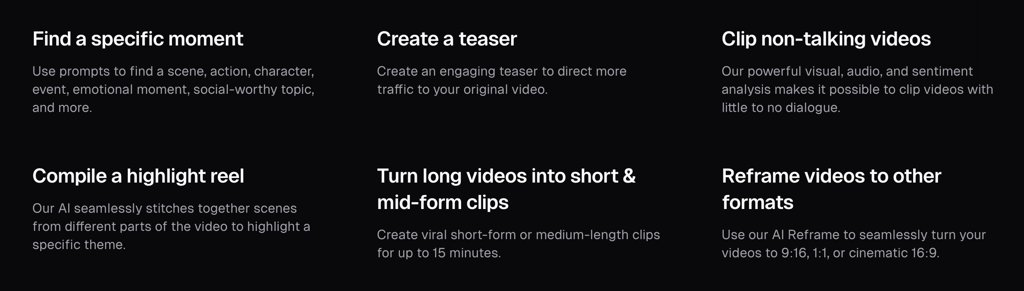
OpusClip automates this step. Upload your finished episode and OpusClip uses AI to find the most engaging moments. It generates 10-20 short clips automatically, each with animated captions, vertical reframing, and a Virality Score that predicts how well each clip will perform on social media. You can review the clips, make adjustments, and post them directly to social platforms using OpusClip's built-in scheduler.
Why Podcast Clips Drive Audience Growth
Short clips from your podcast give potential listeners a sample of your content. Someone who discovers a compelling 30-second clip on TikTok or Instagram is far more likely to subscribe to your full podcast than someone who sees a static cover image. Consistent clip posting creates a steady stream of discovery. Each clip drives traffic back to the full episode. This makes podcast repurposing one of the highest-leverage growth strategies for independent podcasters.
How Long Does AI Podcast Editing Take
The total time to edit a podcast with AI depends on how much content editing your episode needs. Here's a realistic breakdown for a typical 45-minute episode.
Importing and transcription takes about 5 minutes. Filler word removal takes less than 1 minute. Studio Sound audio cleanup takes about 2 minutes. Content editing through the transcript takes 15-20 minutes. Adding intro, outro, and music takes about 5 minutes. Generating show notes takes about 2 minutes. Exporting takes about 5 minutes. Clip generation with OpusClip takes about 10 minutes.
The total is roughly 40-50 minutes for a fully edited episode plus a week's worth of social clips. Compare that to 3+ hours of manual editing with no clips at the end. The time savings compound with every episode you publish.
What You Need to Get Started
You don't need expensive equipment or professional editing experience to edit a podcast with AI. Here's the minimum setup.
Descript handles the core editing workflow. The free plan includes 1 hour of transcription, which is enough to test the workflow. The Creator plan at $33/month unlocks full AI tools, Studio Sound, and 4K export. This is the plan most podcasters will want.
ElevenLabs is optional but valuable for generating intro/outro narration or voiceover inserts. The free plan gives you about 10 minutes of audio per month. The Starter plan at $5/month is enough for regular podcast production.
OpusClip is optional but recommended for creators who want to grow their audience through social clips. The free plan includes limited clips. The Starter plan at $19.99/month adds scheduling and more clip generation.
A USB microphone in the $50-100 range gives you good enough audio quality for Studio Sound to work its magic. You don't need a $400 microphone or a treated recording room when AI handles the audio cleanup.
AI Podcast Editing Is the New Standard
Editing a podcast with AI isn't a shortcut or a compromise on quality. It's a faster way to produce a better-sounding episode. The tools handle the tedious, technical parts of post-production so you can focus on the creative decisions that matter. What to cut, how to structure the conversation, and what story to tell. Those are the decisions that make a podcast worth listening to. Let AI handle the rest.
Want to learn more about these tools? Check out my in-depth reviews and comparisons: